Retooling Pod Designs
All parameters in the pod design can be changed during the initial (first) build. After you commit the initial build, certain settings cannot be changed unless you retool the pod design:
Number of Access Server Ports (ATS)
Number of Switch Outlet Devices (PDU)
Number of Consectutive Control Switch Ports (CSW)
Number of Lab Devices
Number of Remote PCs
Caution
Retooling will require you to reinstall any actual pods based on the design. The extent of the modifications that may be performed using the Retool option allow modifications to the pod design which can significantly change it from the previous build. Reinstalling any pods using the design is necessary in order to prevent access conflicts to control resources. If you do not wish to reinstall pods, consider cloning the pod design instead – current pods will continue to use the original design and new can be created using the cloned design.
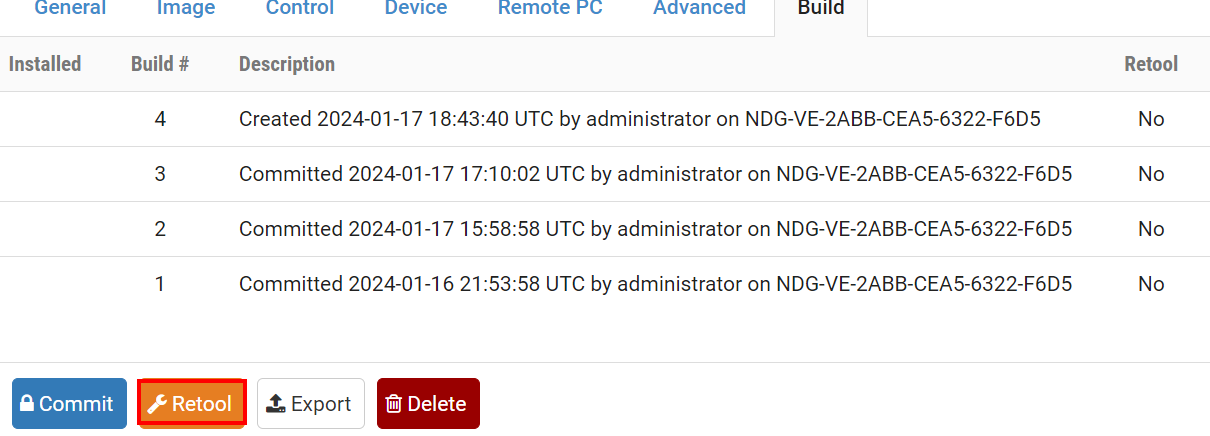
Navigate to the Build tab.
Click on the Retool button.
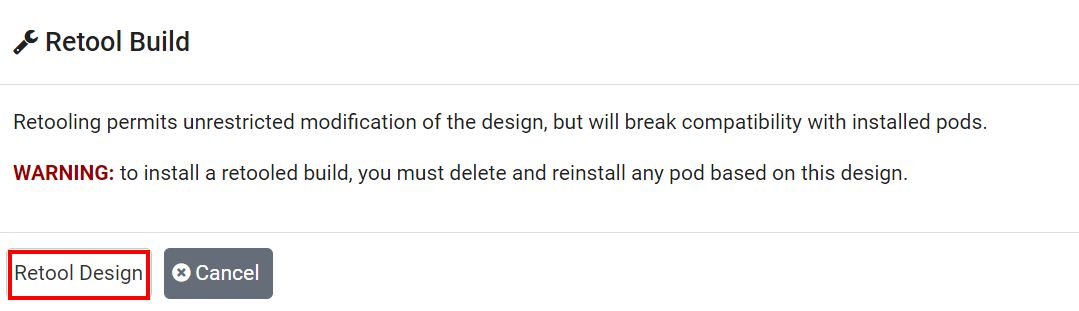
Heed the warning.
Confirm the retooling by clicking on the Retool Design
button in the dialog box.
After retooling, unrestricted modification of the pod design settings will be permitted.