Control Settings
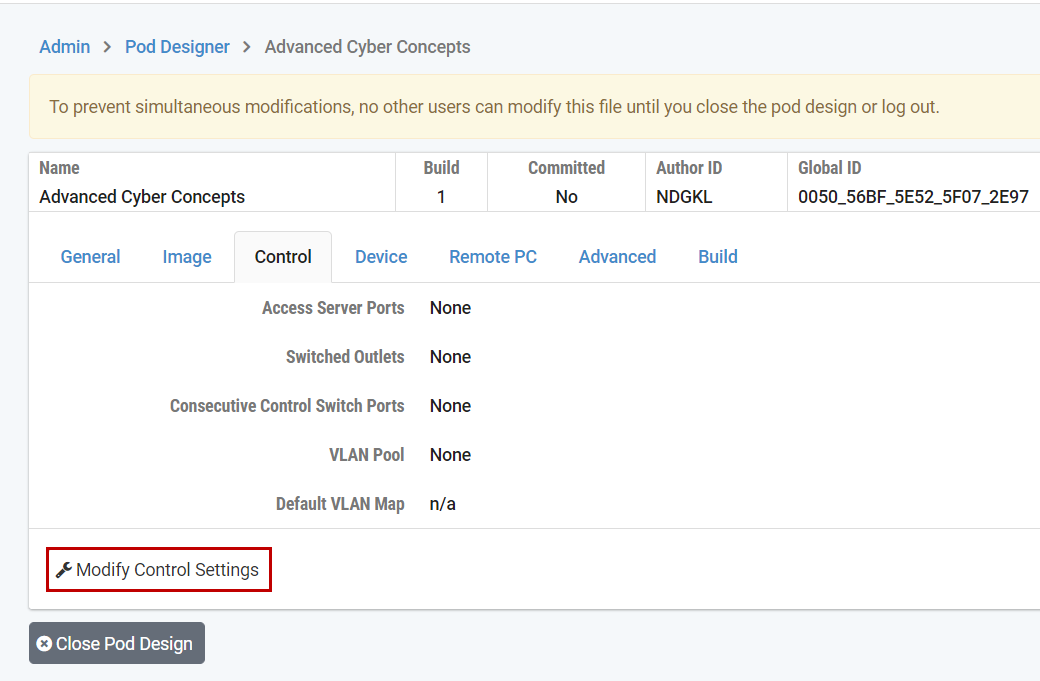
The control tab is used to specify the control device resources required by real equipment pods or hybrid designs. This only quantifies the resources that are required to support the pod design. Actual resource allocation takes place when the administrator creates an instance of the pod.
Note
The control settings are only required for real equipment pods or hybrid designs. If your pod design contains only virtual machines, you can skip this section. Please refer to the Real Equipment Pod Reference for more information about real equipment pods.
Click the Modify Control Settings button in the Control Settings panel.
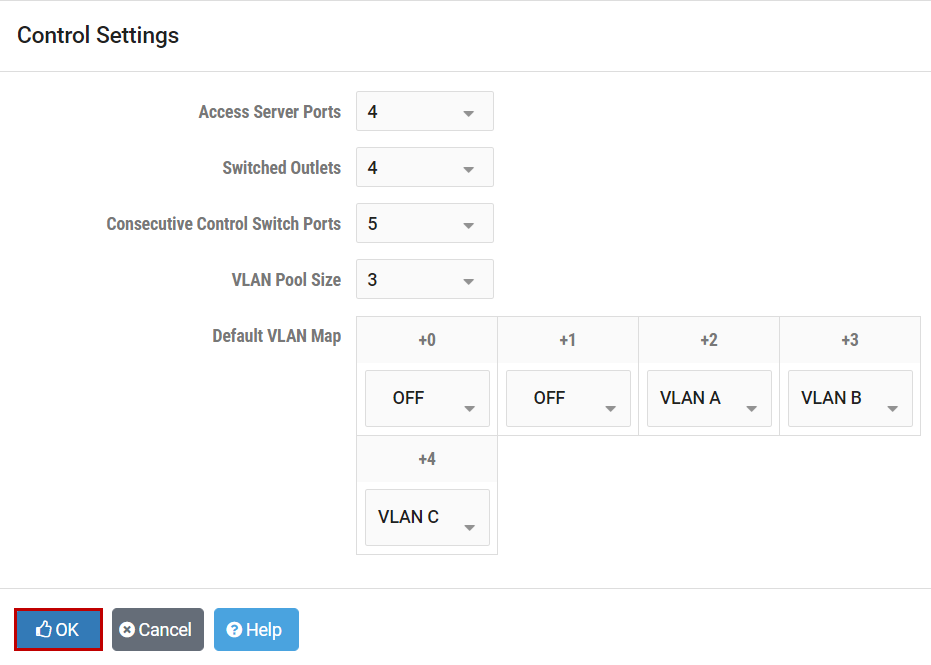
- Access Server Ports:
The number of access server ports required to support this pod design. Typically, one port for each user-accessible lab device is required. Remote PCs do not use access ports. This value may be 0 for pods that only contain remote PCs.
- Switched Outlets:
The number of switched power outlets required to support this pod design. Typically, one switched outlet for each managed lab device is required. Remote PCs (virtual machines) do not use switched outlets. This value may be 0 for pods that only contain remote PCs.
- Control Switch Ports:
The number of control switch pod ports required to support this pod design. Typically, each managed lab device will use one control switch port. However, it may be desirable to allocate more than one port per lab device to provide flexible connectivity using VLAN maps. You may also allocate pod ports for unmanaged devices. The layout and usage of each port are arbitrary as long as you are consistent. This value may be 0 for pods that only contain remote PCs, and all networking is achieved externally and/or using virtual networking. Prior to NETLAB+ Virtual Edition, control switch ports must be consecutive. This is recommended but not required in NETLAB+ VE.
- VLAN Pool Size:
This value determines the number of unique VLANs that will be created and maintained on control switches for each instance of this pod design. For example, if the VLAN pool value is 5 and 4 pods of this type are added by the administrator, then 20 unique VLANs will be created on the control switches. How these VLANs are used is determined by VLAN maps.
- Default VLAN Map:
This VLAN map is applied to the pod at the beginning of a lab reservation. Each lab exercise may also specify an optional VLAN map that overrides the default VLAN map. Each control switch port used by the pod is given a relative port number (+0, +1, etc.) since the actual control switch ports cannot be determined at design time. Each port can have one of the following settings:
VLAN (letter)At the beginning of the lab exercises, the control switch port will be turned on and set to the VLAN indicated by the letter. The actual VLAN number used cannot be determined at design time; therefore, letters are used.OFFThis value causes the control switch port to be turned off at the beginning of the lab exercise. It may be turned on if NETLAB+ needs to recover an erased software image.STATICThis value indicates that the control switch port is statically configured by the administrator. NETLAB+ will not change the administrative state (on/off), will not change the VLAN, or any other setting on the port. This setting can be used to allocate a pod port for trunking to an unmanaged static router or VMware server. However, it is often more desirable to use a reserved port for this purpose.
Click the OK button to save your changes.