General Settings
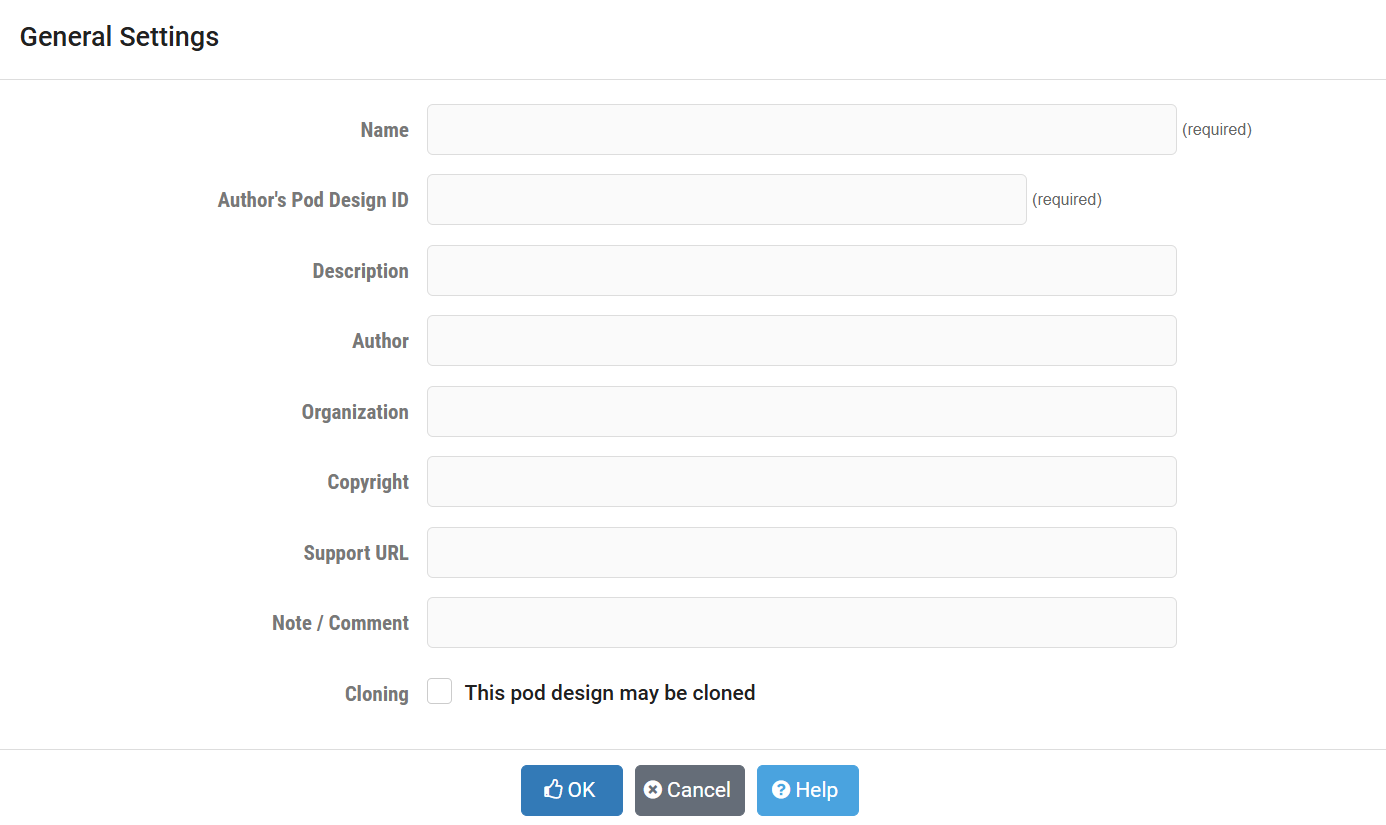
- Name:
This required field is used to assign a name to the Pod Design. It may be helpful to indicate the course with which the lab will be used as part of the name or description.
- Author’s Pod Design ID:
A unique, human-readable identifier. Only the characters
A-Zand0-9can be used. This value is appended to the Global Pod Design ID to create a worldwide unique identifier for the Pod design.Please note, you cannot modify this value later.
Tip: Use a combination of organization, course, and version. Examples:
Identifier
Description
UCCBGP200
University of Central Calendonia, BGP, version 2.0.0
FSUSECP101
Fredrick State University, Security Plus, version 1.0.1
URIOT11
University of Redmond, Internet of Things, version 1.1
Note
When exporting a pod design, this is a global identifier. Please avoid personal identifiers such as user name or initials. Please coordinate with NDG if you are developing a pod design for distribution through the NDG course catalog.
- Description:
This optional field is used to describe the lab content. It may be helpful to indicate the number and types of devices in the pod.
- Author:
Optional field to indicate the author of the lab content.
- Organization:
Name of the organization associated with the lab content. (optional)
- Copyright:
A place for a copyright notice (optional).
- Support URL:
A website URL containing additional information about the lab content. This is strongly recommended if you publish your pod design. Each topology has a link to “Specifications and Requirements”, which follow a consistent format for each topology.
- Note/Comment:
Place to indicate any additional information about the pod design file, such as indicating what curriculum the pod design is being used to support.
- Cloning:
Enable the cloning checkbox to allow derivative works to be created from your pod design.
Once the general settings are entered, NETLAB+ will create a pod design file in the system’s shared folder. All of the remaining tasks will be performed using the tabbed interface.