Committing Pod Designs
Pod Designer does not create actual pods. Rather, it produces an NPD file
(extension .npd), which is a pod template. The administrator and each
instructor share a common folder where .npd files are stored and manipulated
by Pod Designer. NPD files can be installed on your NETLAB+ system, exported to
your PC, shared with others, and transferred to other NETLAB+ systems.
The NPD file format has built-in version control. Each version is called
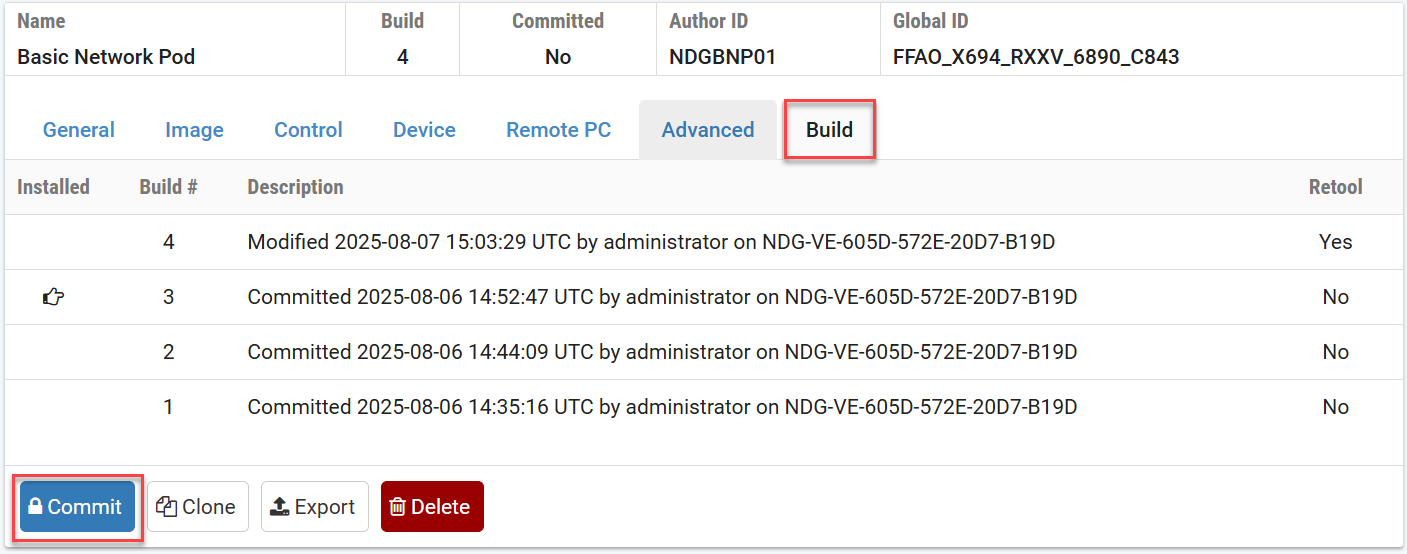
a build. Builds are managed from the Build tab. When all desired
changes have been made to the NPD file, the build is committed and becomes
read-only.
Only a committed build can be installed into the NETLAB+ database, which allows the administrator to add actual pods based on the pod design. Different versions of the pod design can be installed on different NETLAB+ systems.
After you have completed your initial pod design, or you have made changes to an existing pod design, you must commit the pod design. This results in a new build of the pod design.
Navigate to the Build tab.
Click on the Commit button.
Note
If you have not made any changes to the pod design since the last
commit, there is nothing to do and the Commit button is
not displayed.
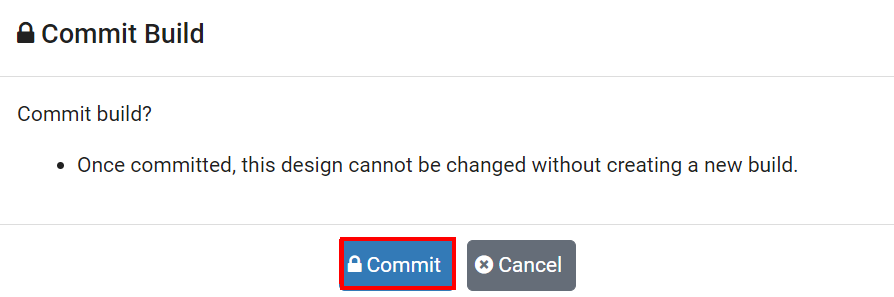
Confirm the commit by clicking on the Commit button
in the dialog box.
Warning
All parameters in the pod design can be changed before the first commit. After the first commit, certain parameters cannot be changed unless you retool the pod design.
Settings that cannot be changed after the first commit include:
Number of Access Server Ports (ATS)
Number of Switch Outlet Devices (PDU)
Number of Consectutive Control Switch Ports (CSW)
Number of Lab Devices
Number of Remote PCs