Creating a New Build
The NPD file format has built-in version control. Each version is called a build. A new build must be created to make further changes to a pod design. Once a build is committed, no further modifications may be made. In order to make additional changes to the pod design, a new build must be created.
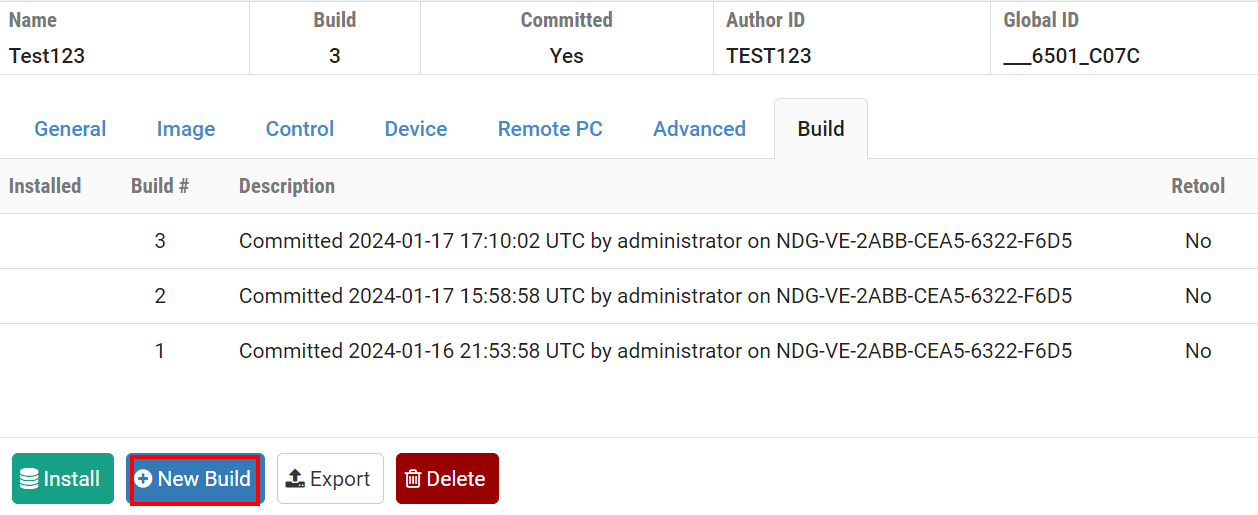
Navigate to the Build tab.
If the pod design is not already being modified, click on the
Modify Design button to unlock the pod design for editing.
A modifcation password will be required if one is set for the pod design.
Click the New Build button to create a new build of the
pod design.
Note
The New Build button will be available on the build tab only if the current build has been committed.
Select the checkbox to remove pod design files from previous builds if you wish to have the previous builds for this pod design deleted from the pod design folder on the NETLAB+ server.
Tip
You may wish to keep your previous build should any circumstance cause you to decide not to proceed with the installation of the changes you plan to make to the pod design.
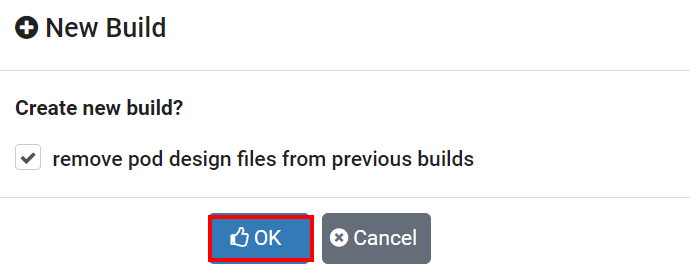
Select OK to proceed with the build.
You may now make changes to the pod design.