Hotspots
You may define clickable hotspots for devices and PCs shown on the default topology image. A hotspot is an invisible rectangular area placed on top of a router, switch, firewall, or PC in the image. When a user clicks on a hotspot, NETLAB+ will launch the appropriate viewer and connect to the device.
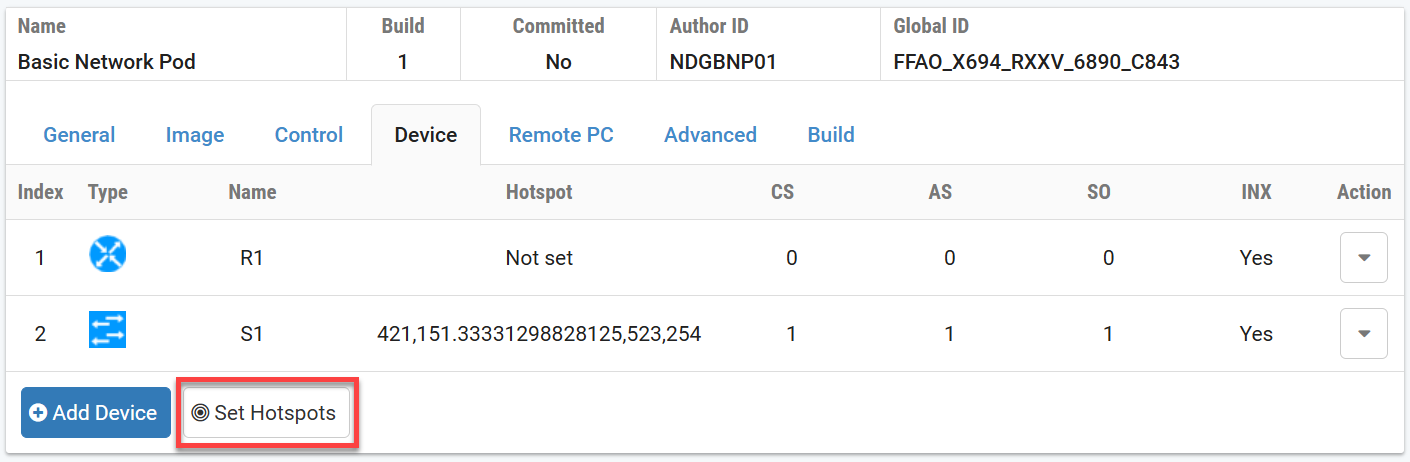
Select either the Device or Remote PC
tab. Hostspots for either section can be set from either tab.
Click the Set Hotspots button in the
Settings section of the Pod Designer.
The page will display available hotspots for both devices in red and remote PCs in green. You may elect to set some or all of the hotspots on the image.
Drag the hotspot rectangle to the desired location on the image.
Drag the corners of the hotspot rectangle to resize it.
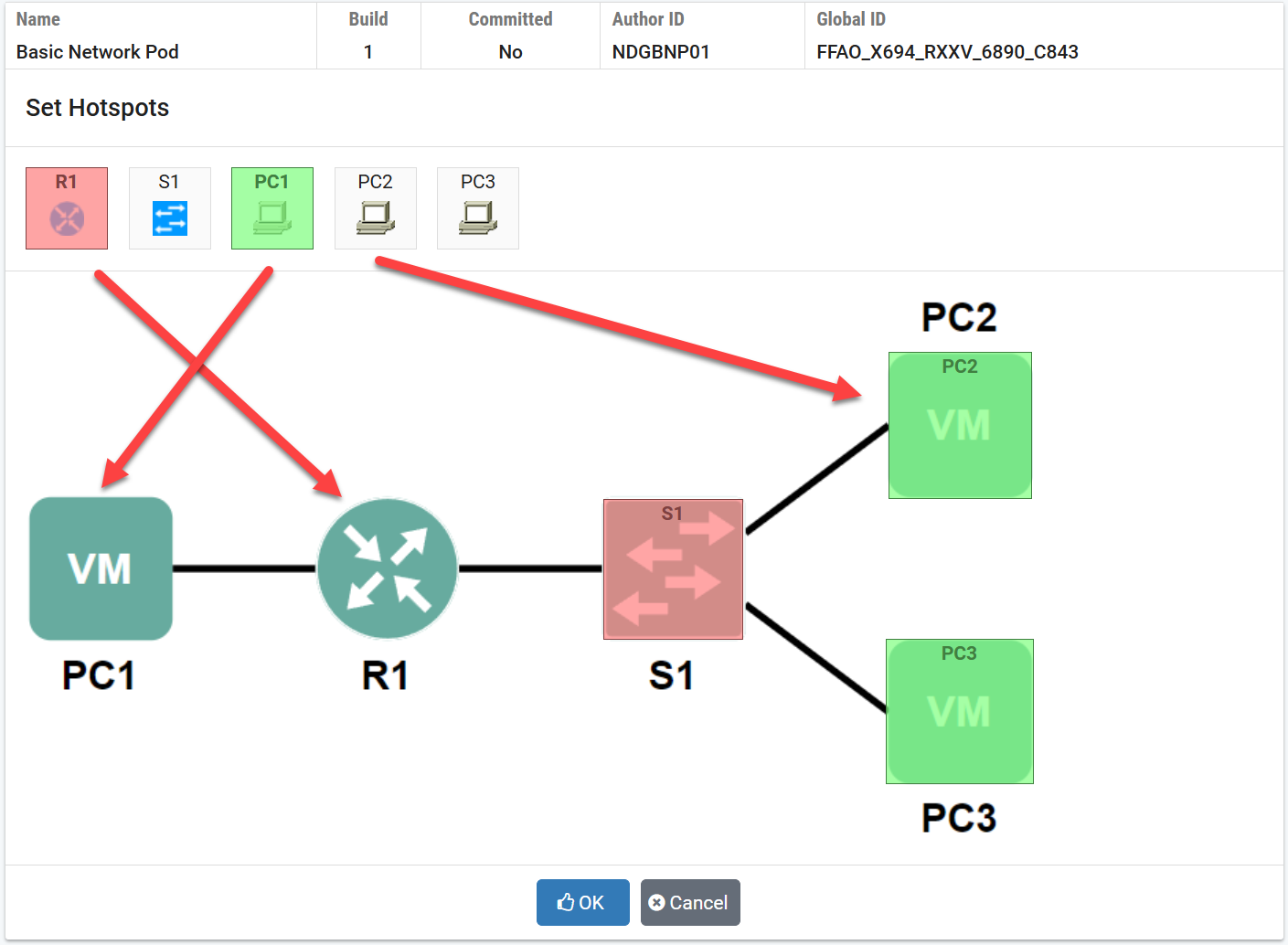
Click the OK button to save.