Managing Installed Pod Designs
Show Installed Pod Designs
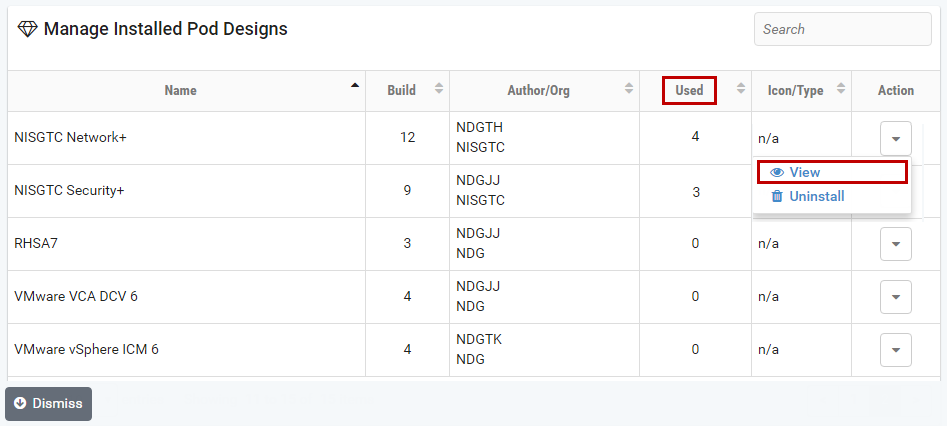
To see the pod designs that have been installed in the local NETLAB+ pod-type
database on this system, click Show Installed Pod Designs.
Note
Pod designs are not automatically installed when they are created. The administrator must install the pod design file before it can be used to create pods.
The currently installed pod designs will be displayed. The Used column
indicates the number of instantiated pods of each type. Click on a pod for
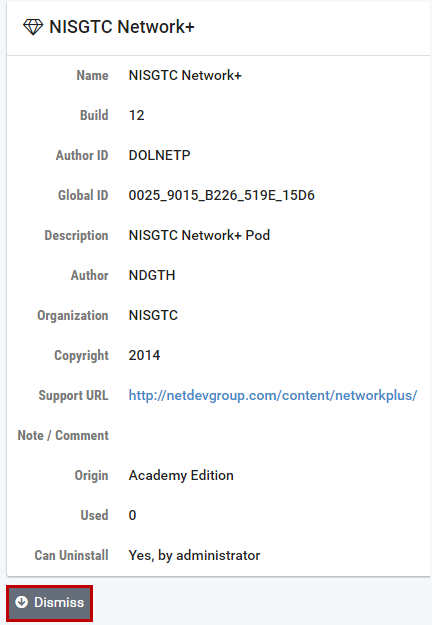
additional details and management options. Select the View option
on the Action dropdown to see additional details for any of the pods displayed.
Note
Remaining sections of this document are coming soon.