Virtual Machine Infrastructure
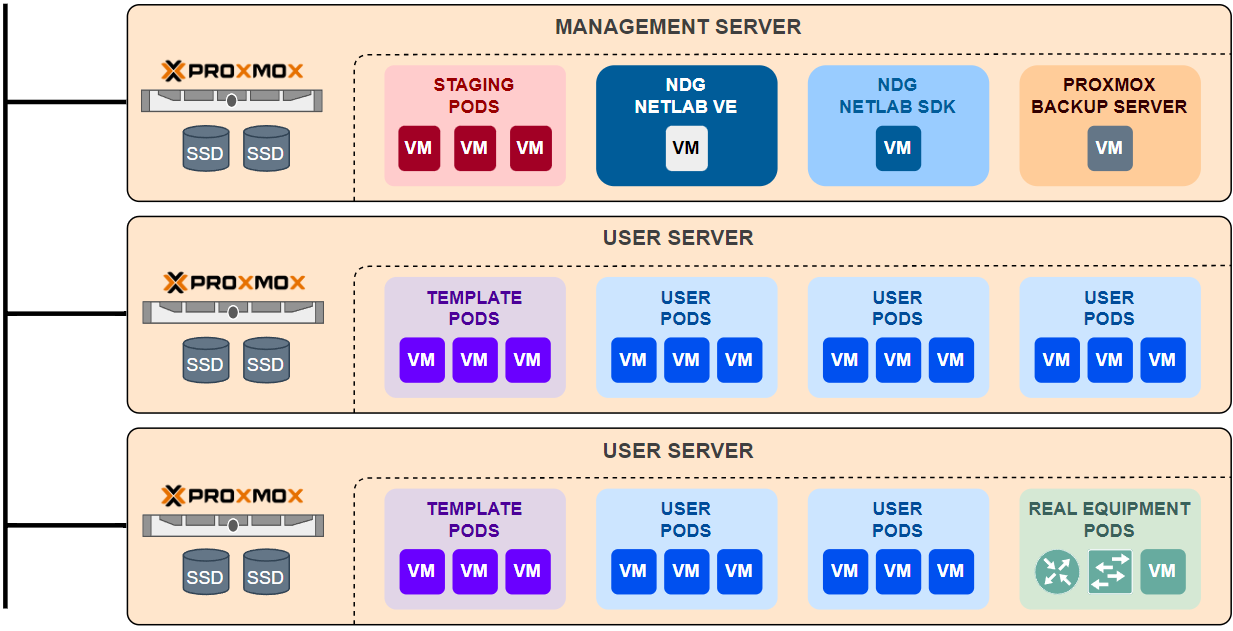
The Virtual Machine Infrastructure (VMI) is a collection of host servers and virtual machines (VMs) that are managed by a hypervisor. The VMI can be used to run various applications, services, and systems in isolated environments.
Supported Hypervisors
Proxmox VE
Proxmox VE 9.x (Debian 13) is the baseline for NETLAB+, validated on Proxmox VE 9.2.3 and later. Install it on all new host servers.
Warning
Proxmox VE 8 reached end of life on 2026-08-31 and no longer receives Proxmox package or kernel updates. If you already run a Proxmox VE 8.4.x cluster, you can upgrade it in place without reinstalling. See Upgrading Proxmox VE 8 to 9.
VMware vSphere
Note
In 2024, Broadcom announced the closure of VMware’s academic programs, terminated its partnership with NDG, and halted its academic licensing program. As a result, NDG is transitioning to Proxmox® VE as the preferred backend virtualization platform for NETLAB+. Please see the VMware vSphere Implementation details for more information.
Management Server
The Management Server is a dedicated server that runs the NETLAB+ appliance , staging pods, and other services. For VMware ESXi, the management server also runs the vCenter Server Appliance (VCSA). The management server must meet the minimum hardware requirements for the NETLAB+ appliance. Please see server hardware for specifications. The following services may be run on the management server:
NETLAB+ Appliance
NETLAB+ SDK
vCenter Server Appliance (VMware vSphere only)
Proxmox Backup Server (Proxmox VE only)
Prometheus / Grafana
External Log Server (Fluentd)
Staging Pods
User Server
User servers run user workloads that are organized into user pods. Please see server hardware for specifications.
Unsupported
For optimal performance and system stability, NDG does not recommend running user pods on the same server as the NETLAB+ VE appliance. Separation of management and user workloads helps prevent the NETLAB+ appliance from becoming overloaded.
NETLAB+ Appliance
NETLAB+ is the virtual edition of NDG NETLAB+ that runs as a virtual appliance on the management server and is responsible for managing the virtual machines, scheduling lab exercises, managing equipment and providing access to users.
Storage
Direct-attached SSD storage on each host server is the recommended and supported solution for user workloads (i.e., user pods). This provides superior I/O throughput and reduced latency. Because NETLAB+ is designed for academic institutions, we have optimized the system to be managed efficiently without the cost and complexity of NAS or SAN devices.
Unsupported
While NETLAB+ can operate with Network-Attached Storage (NAS) and Storage Area Network (SAN) devices, NDG does not recommend them. This means you’ll be responsible for sizing, configuring, maintaining, and insuring that performance is adequate.
Acceptable Use Cases
SAN and NAS devices can be used for backups, providing an independent storage pool that is separate from the management server.
Pods
A pod is a group of virtual machines that are managed together as a single scheduled unit. In additional to the virtual machines, a pod may also include real equipment such as supported routers, switches, and firewalls. Pods are typically isolated from each other and production networks, but can be configured to allow communication between pods and the Internet for certain courses that require it.
Staging Pods
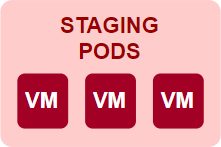
A staging pod (formerly “master pod”) is a special pod that is used to stage virtual machines and equipment for use in other pods. Staging pods are used to prepare virtual machines and equipment for use in other pods. Staging pods are typically placed on the management server, however they can also be placed on user servers under certain conditions.
User Pods
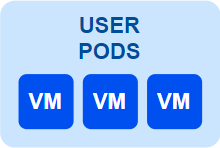
A user pod is a group of virtual machines that are scheduled together for use by users. User pods are created from staging pods and can be used for lab exercises, They can also include real equipment such as supported routers, switches, and firewalls. User pods are deployed on user servers.
Note
NDG does not support running user pods on the same server with the NETLAB+ VE appliance (i.e. management server). This is to ensure that the NETLAB+ appliance is not overloaded with user workloads, which could lead to performance issues and affect the overall stability of the system.
Template Pods
A template pod is a special pod that is used to created linked clones in Proxmox VE. All virtual machines in a template pod are Proxmox VE templates. Templates cannot be modified or used directly in lab exercises.

Note
Template pods are not required for VMware ESXi, as linked clones can be created from any virtual machine.
Real Equipment Pods
A real equipment pod is a group of real equipment that is managed together as a single scheduled unit. Real equipment pods are used to provide access to real routers, switches, firewalls and virtual machines. Real equipment pods are typically isolated from user pods and production networks.
TODO: Add image
Linked Clones
A linked clone is a copy of a virtual machine (VM) that shares its virtual disks with the parent VM, creating an efficient method of deploying multiple VMs with minimal storage overhead. It’s created from a snapshot of the parent VM and relies on the parent for its initial state and data.