Reset SSL Certificate to Default
NETLAB+ includes a console option to reset the SSL certificate to default should an error condition with the certificate prevent access to the web interface.
Warning
Resetting the SSL certificate to default will allow the administrator to regain administrator access to the web interface. This default self-signed certificate is included for configuration purposes. HTML5 viewers will not work with this certificate. It must be replaced with a certificate signed by a trusted certificate authority.
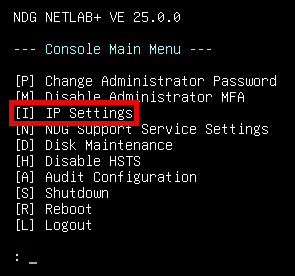
Press I for IP settings from the Console Main Menu.
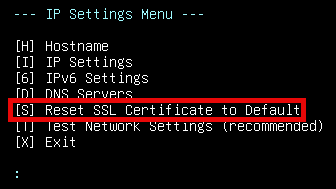
From the IP Settings Menu, press S for Reset SSL Certificate to Default.
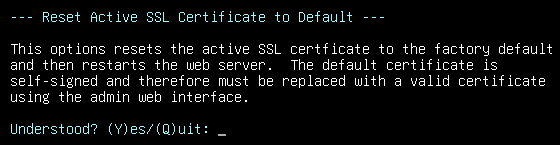
Review the information shown and then press Y for Yes.
Press any key to continue.