PVE Interface Layout
This section will give you information on the PVE Interface Layout and general terminology.
Note
The information in these screenshots is from the Proxmox VE8: Setup and Management lab library available from www.netdevgroup.com. NDG encourages administrators to complete these labs to be familiar with terminology in this NDG Proxmox VE guides.
Notice that the Proxmox VE interface is divided into four basic sections.
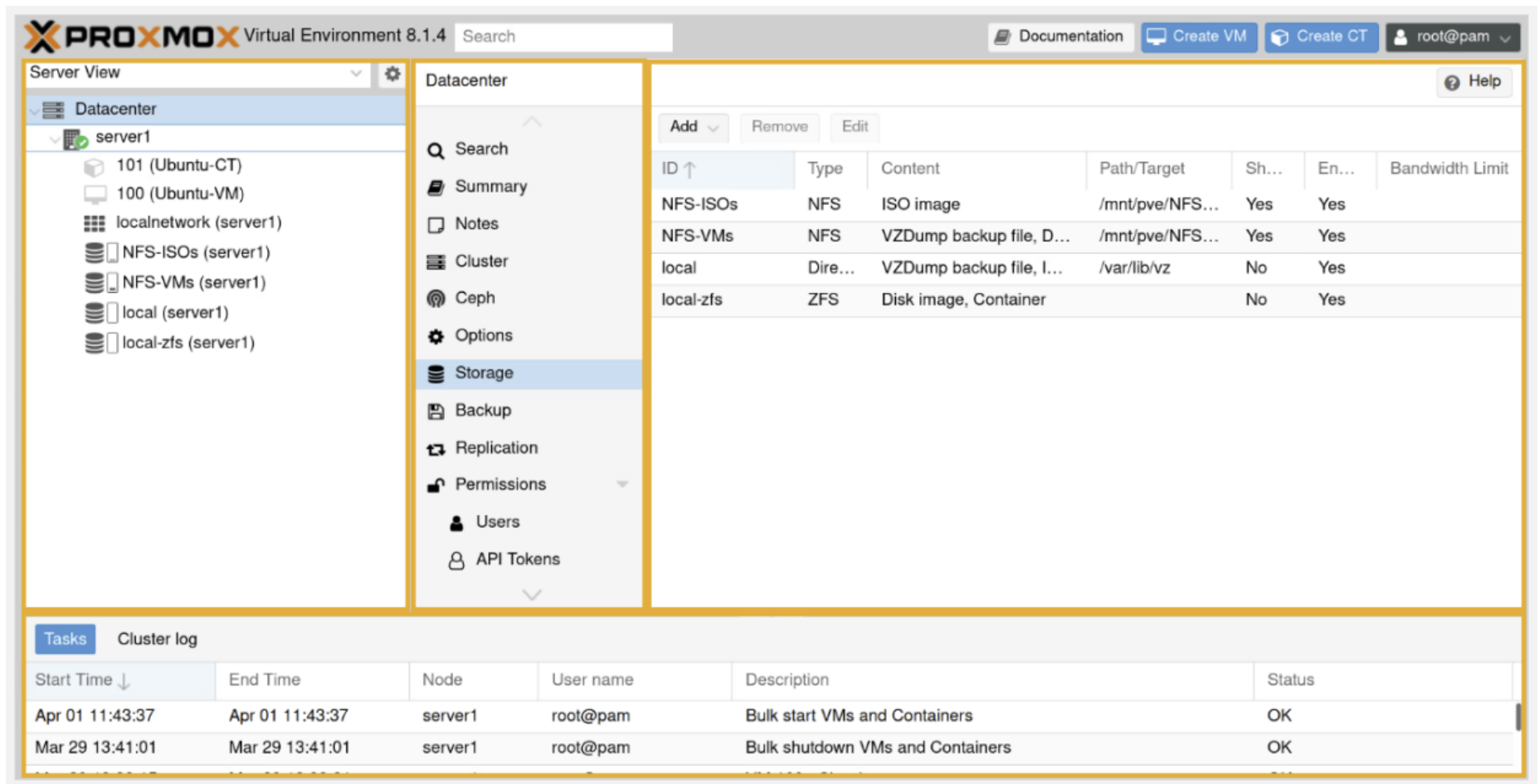
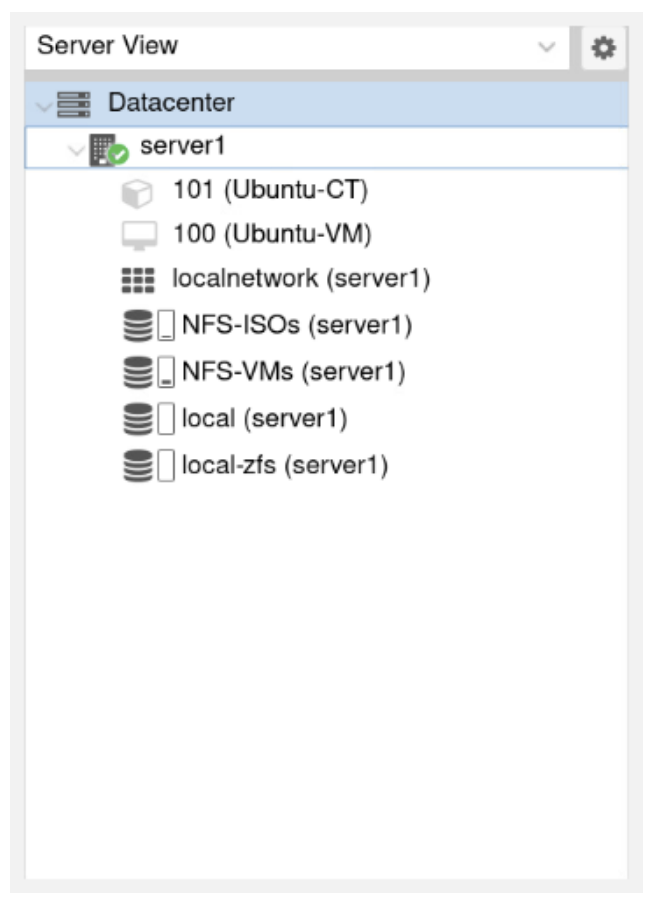
On the far left is the Resource Tree section. You can use this to select which
portion of your Proxmox VE system you are editing or viewing information on.
This can be a single server, a single VM, or even the entire Datacenter. These
machines and services can be viewed using the dropdown buttons.
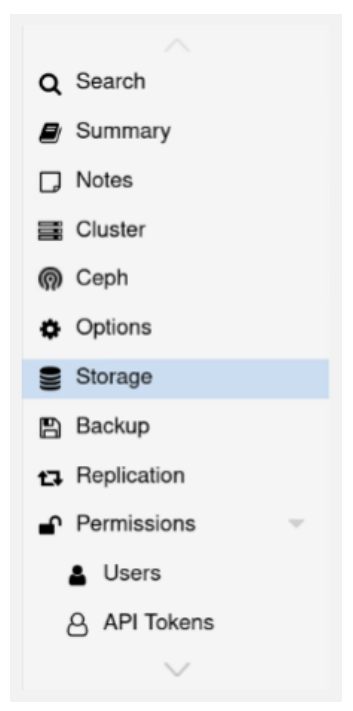
Directly to the right of the Resource Tree is a center section called a Content Panel. The left side of this panel contains a section with configuration options.
This section provides you with a list of sections and tabs related to what is
highlighted within the Resource Tree.
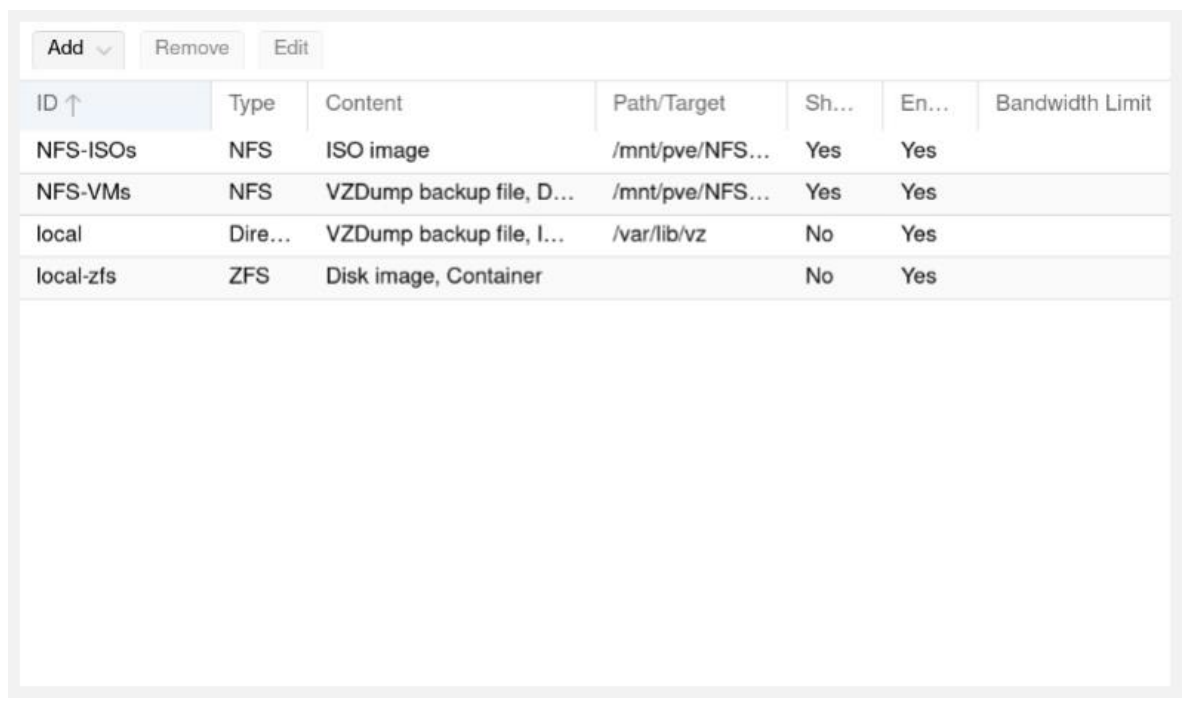
In the Content Panel, to the right of the configuration options section, you can
see a section where all your critical information will reside. What is displayed
here will depend on the chosen items in the Resource Tree and configuration options sections. This will also be the main area where you can edit settings and
view status information about your system.
Finally, there is a Log Panel at the bottom of the interface which displays logs
and tasks of Proxmox VE.
