Removal of NDG Catalog Master Pods
Warning
You should not remove custom pods “master” pods from the NDG Catalog. If you have made significant changes to these VMs for your environment (added additional software, etc.), then you should treat these as custom pods.
Note
This just removes the pods and does not actually delete the VMs as they were marked as “Master” images and therefore must be deleted manually.
Navigate to > Pods.

Click the checkbox on the right to select each master pod based on the filter.
Alternatively, use the search bar at the top to filter pods based on name.

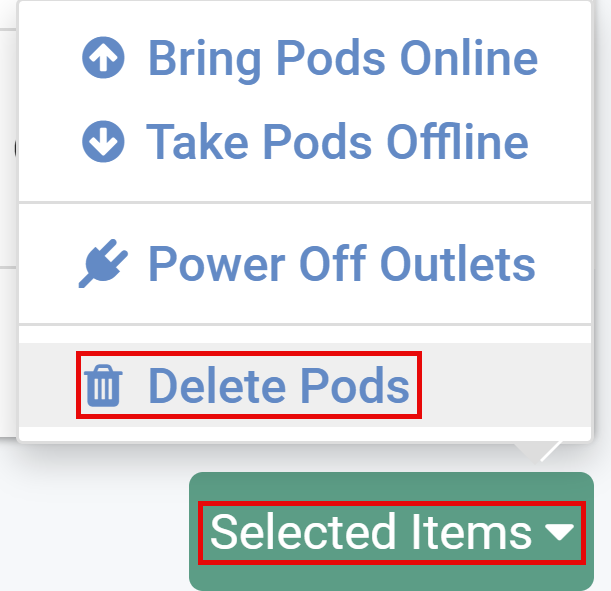
Click on Selected Items button > Delete Pods.
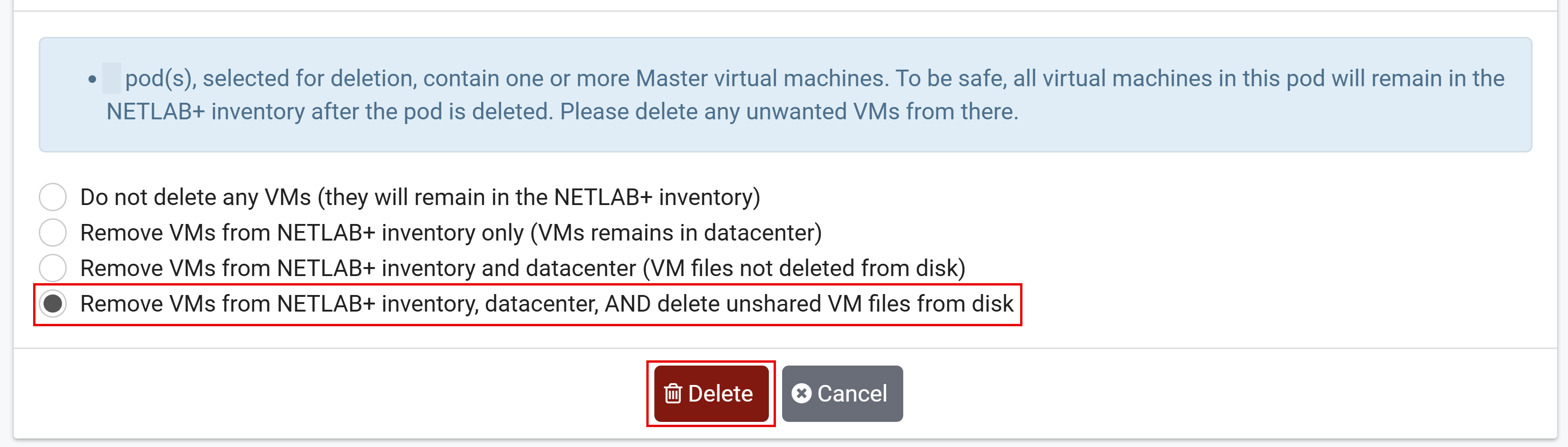
Select Remove VMs from NETLAB+ inventory, datacenter, AND delete unshared VM files from disk > Delete.
Once all the pods have been deleted, click the Dismiss button to continue.
If necessary, repeat this process to remove all remaining master pods that are part of the NETLAB+ catalog, except for Cisco Hardware pods and custom pods.